VERI Tenant User Guide
Complete guide for tenant onboarding, agent access, billing, payments, and API usage
Version 2026.3.28 — For tenants and API consumers1. Getting Started
What You Get
Every VERI tenant receives:
- Your own AI agent — a forked VERI instance with 7 specialist agents (Forge, Atlas, Sentinel-QA, Legal Counsel, Citadel, Amplify, Bastion)
- Isolated sandbox — Docker container with encrypted Tailscale networking
- API access — OpenAI-compatible API for programmatic use
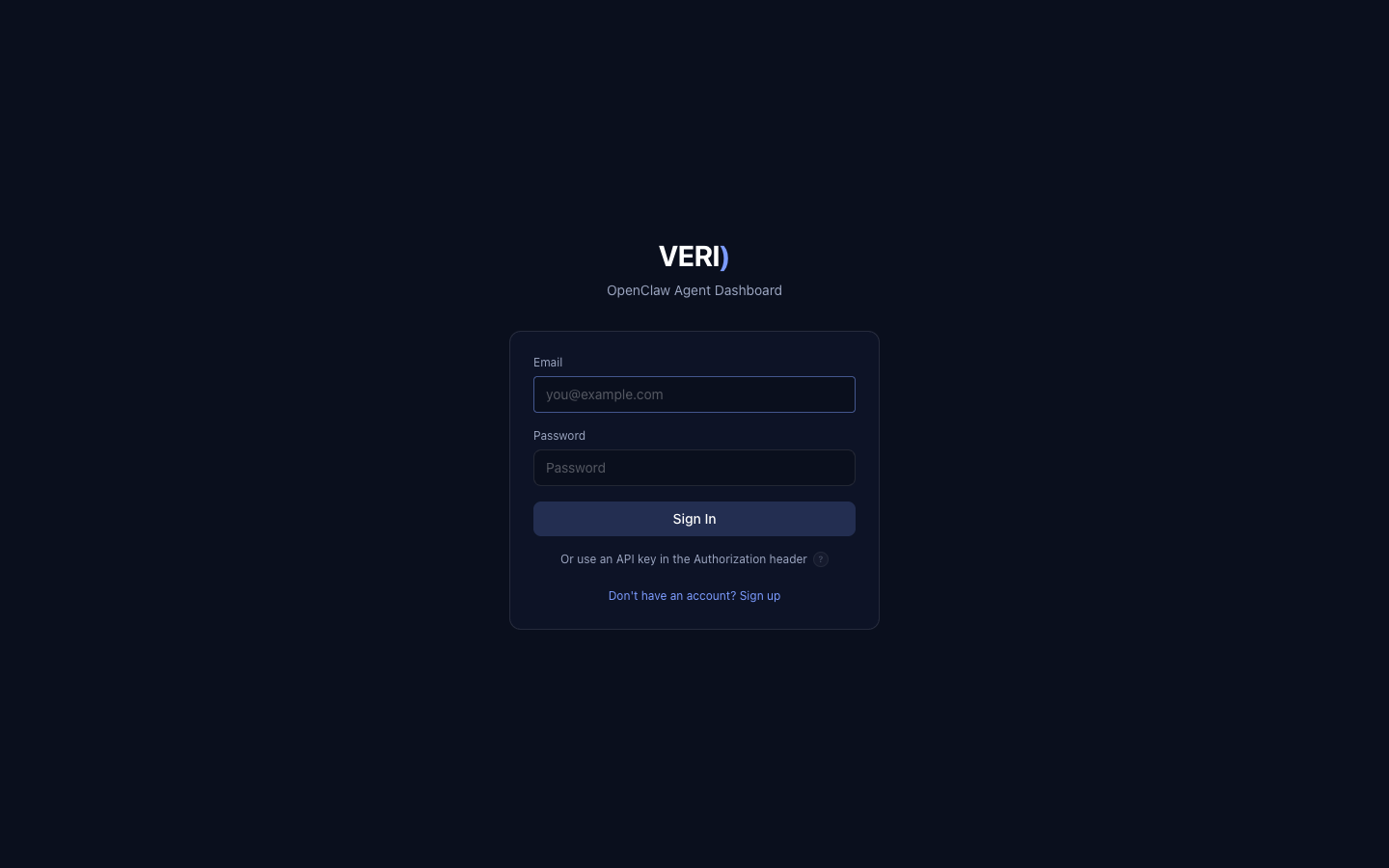
- Dashboard access — Web UI at
https://veagents-mac-studio.tail54223a.ts.net/veri - Metered billing — USDC payments on Ethereum L1 or Base L2
Prerequisites
- Email address
- Password (minimum 8 characters)
- For Pro/Enterprise plans: a wallet with SmartMetal NFT on Base chain
- For payments: USDC on Ethereum L1 or Base L2
2. Account Creation
Self-Service Signup
Via Dashboard
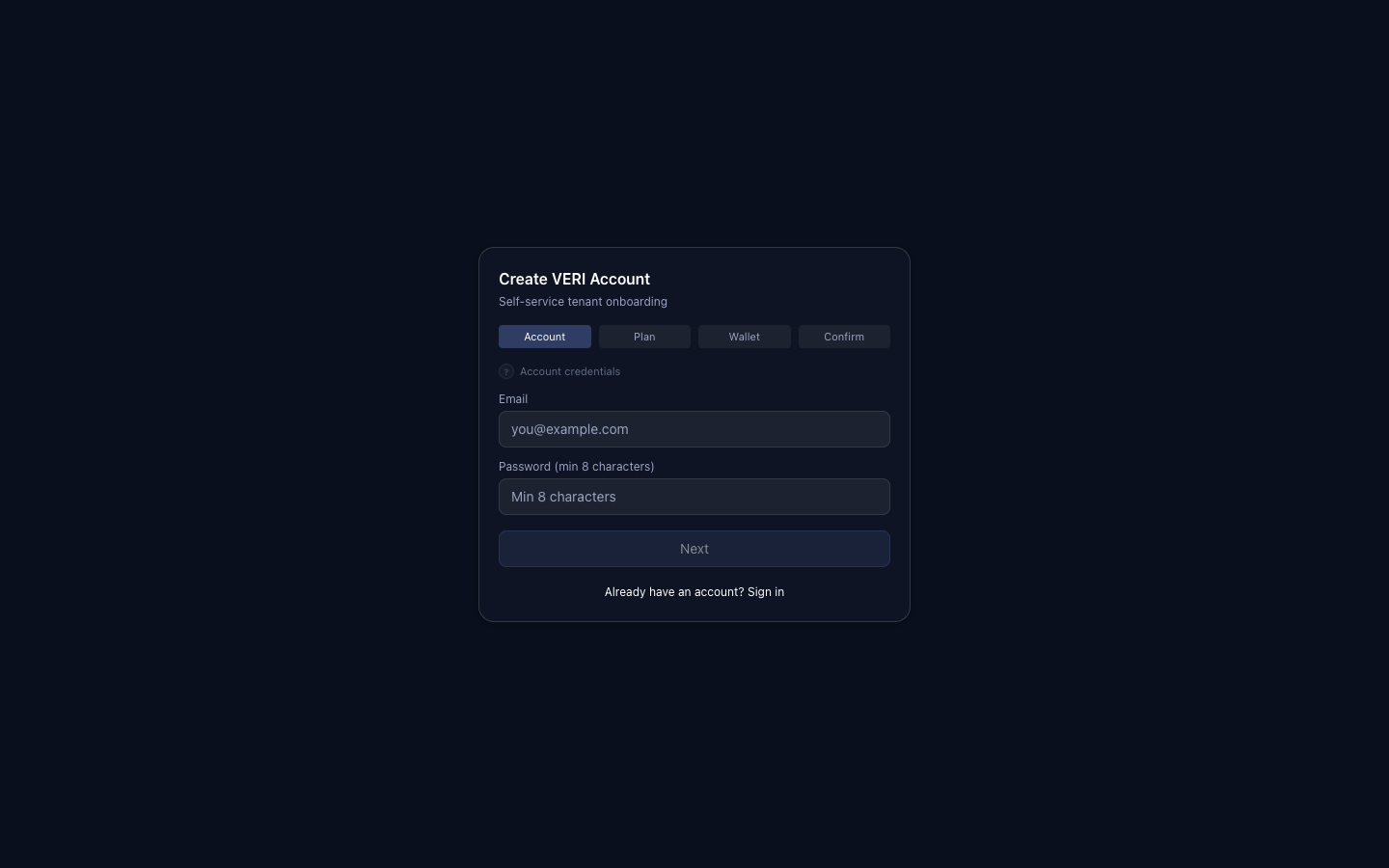
- Go to
https://veagents-mac-studio.tail54223a.ts.net/veri - Click "Don't have an account? Sign up"
- Complete the 4-step wizard:
- Account — Enter email and password
- Plan — Select Free, Pro, or Enterprise
- Wallet — Connect MetaMask/Rabby (required for paid plans)
- Confirm — Review and create
- Save your API key — shown once on the success screen
Via API
curl -X POST https://veagents-mac-studio.tail54223a.ts.net/veri/api/auth/register \
  -H "Content-Type: application/json" \
  -d '{
    "email": "you@example.com",
    "password": "YourSecurePass!",
    "plan_id": "free",
    "wallet_address": "0x..."
  }'
Response:
{
  "ok": true,
  "user": { "id": "uuid", "email": "you@example.com", "plan_id": "free" },
  "api_key": "oc_live_...",
  "api_key_prefix": "oc_live_xxxx",
  "expires_at": "2026-04-24T...",
  "provisioning": "in_progress"
}api_key immediately. It is shown only once.
What Happens After Signup
Your account is provisioned automatically (~30-60 seconds):
- Memory allocation on a compute node
- Agent clone (VERI fork with specialist agents)
- Docker sandbox with Tailscale networking
- Billing period opened
- Egress firewall configured (GitHub + approved endpoints)
- Tailscale identity assigned (100.x.x.x)
You can start using the API immediately. The sandbox provisions in the background.
3. Accessing Your Agent
Dashboard (Web UI)
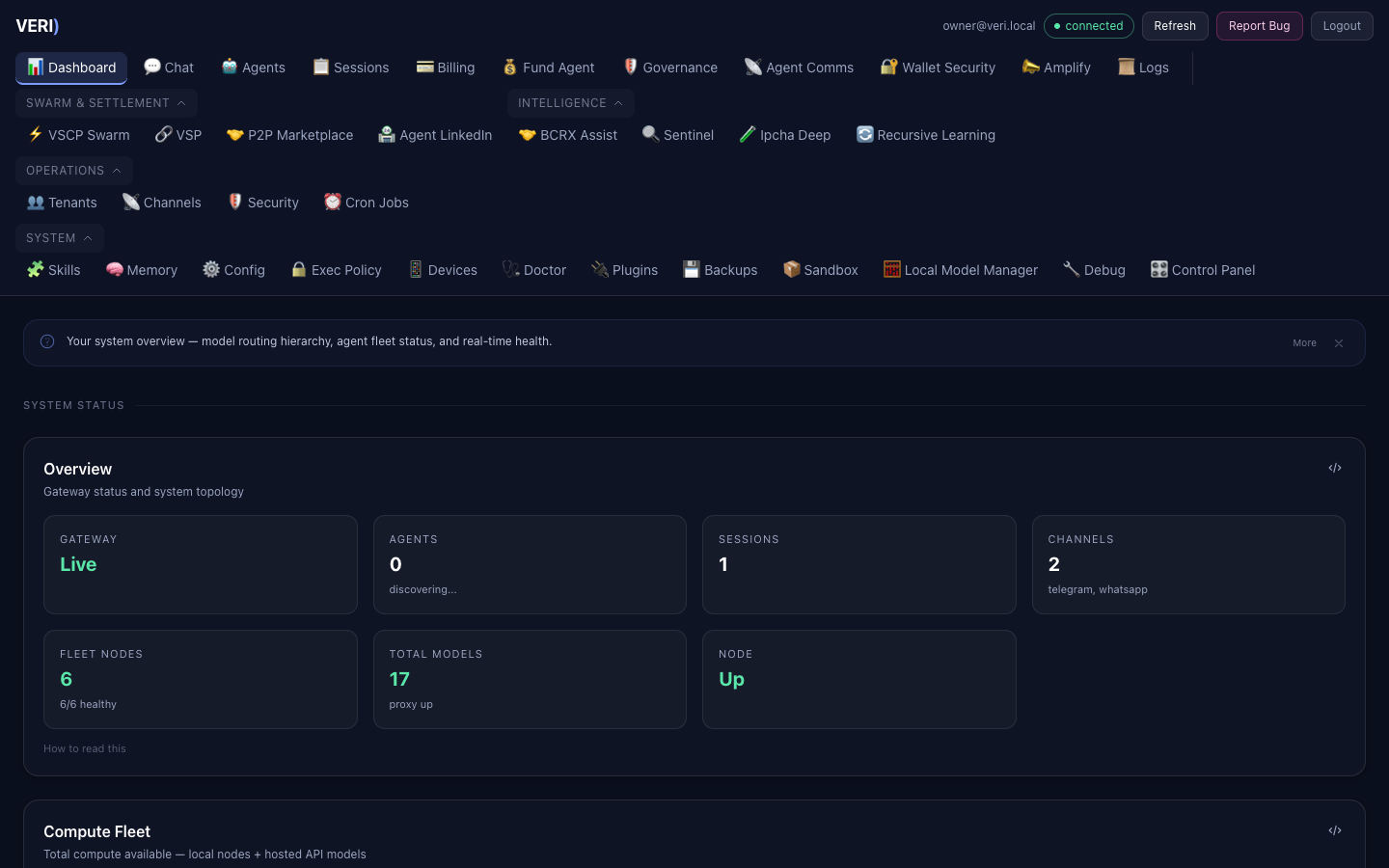
- Go to
https://veagents-mac-studio.tail54223a.ts.net/veri - Log in with your email and password
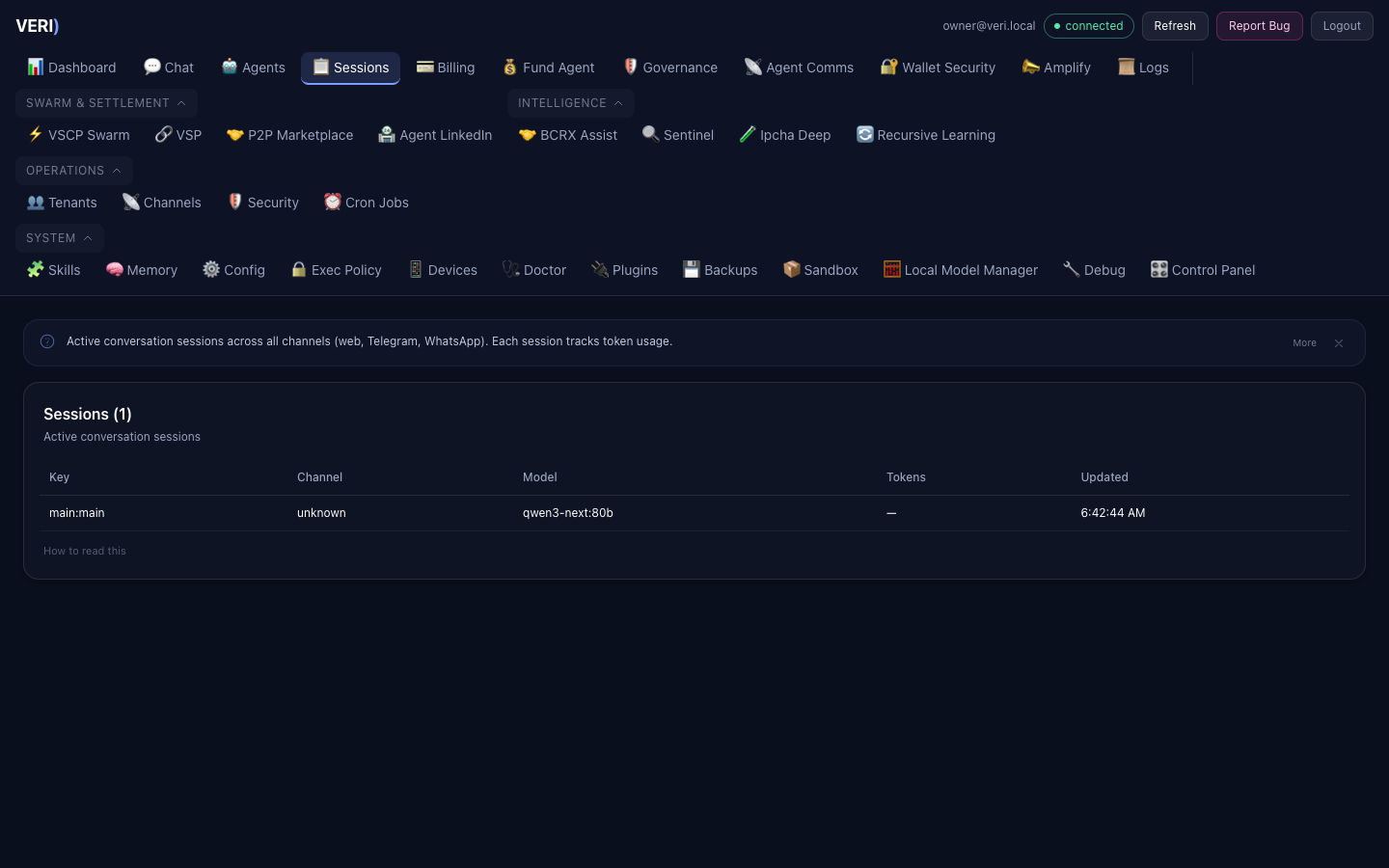
- Navigate to:
- Chat — Talk to your agent directly
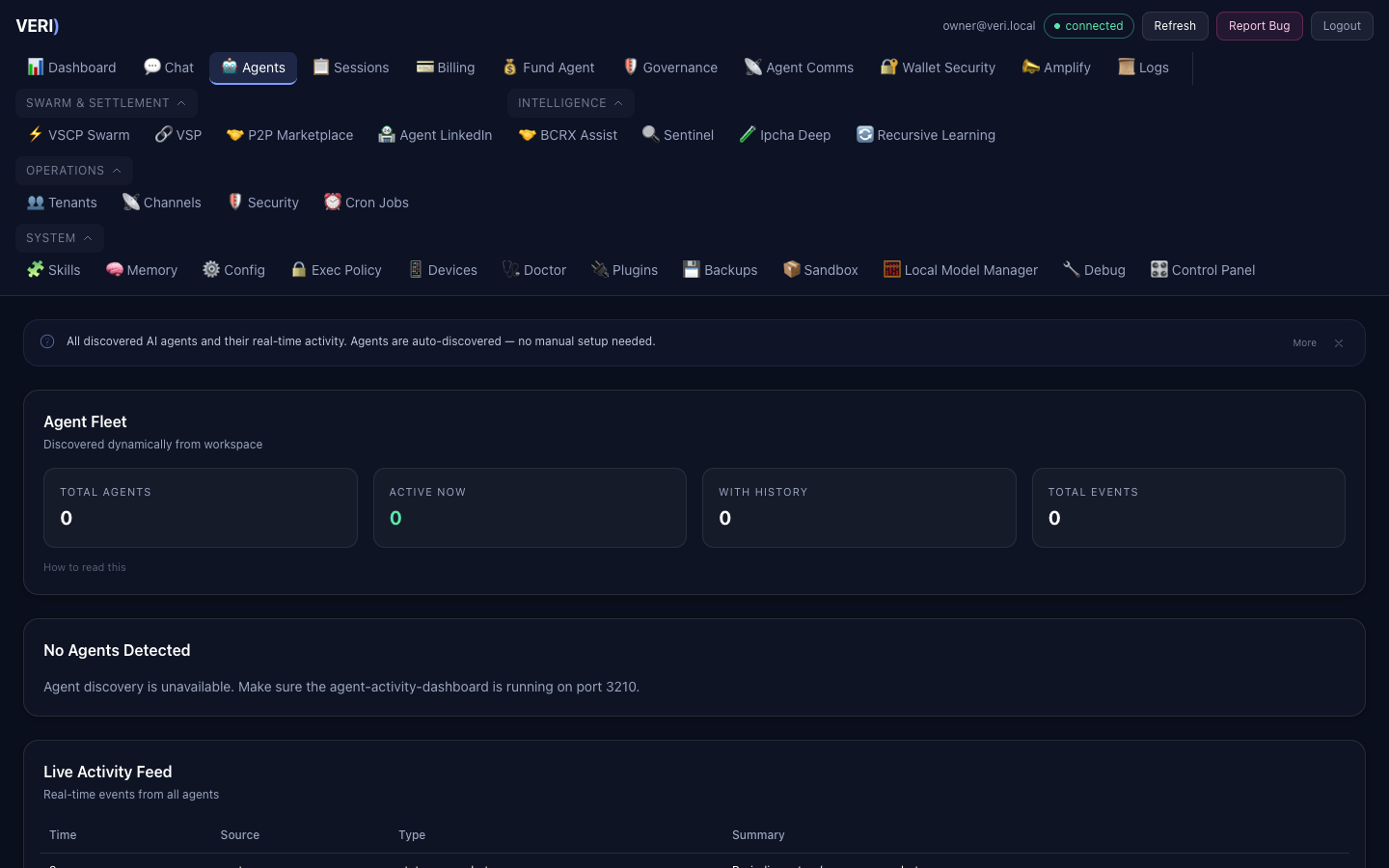
- Agents — View your 7 specialist agents
- Amplify — Manage social media content and approvals
- Agent Comms — View your agent's identity and communicate with other agents
- Billing — Usage, invoices, API keys
- Fund Agent — Fund your account with USDC (Base, Ethereum, or Solana)
- Sessions — Conversation history
API Access
Your agent is accessible via an OpenAI-compatible API.
Authentication
All API requests require a Bearer token:
Authorization: Bearer oc_live_your_key_hereOr use session cookies from the dashboard login.
Chat Completions
curl --max-time 120 \
  https://veagents-mac-studio.tail54223a.ts.net/veri/api/v1/chat/completions \
  -H "Authorization: Bearer oc_live_your_key_here" \
  -H "Content-Type: application/json" \
  -d '{
    "model": "openclaw",
    "messages": [
      {"role": "user", "content": "Analyze this Python function for bugs..."}
    ],
    "stream": true
  }'
The model field is routed automatically — your agent selects the best available model based on the task.
Timeouts — Important
Large models (27B–122B) can take 15–30 seconds for first token on complex prompts. Set your HTTP client timeout accordingly:
| Model Size | Typical First Token | Full Response (10K tokens) | Recommended Timeout |
|---|---|---|---|
| 1B–9B | < 1s | 2–5s | 30s |
| 27B | 2–5s | 5–15s | 60s |
| 80B | 5–10s | 15–25s | 120s |
| 122B | 10–20s | 20–40s | 120s |
Always use "stream": true — streaming returns the first token as soon as it's generated, so your client receives data immediately even on large models. Without streaming, the entire response must generate before any data is sent.
Client timeout configuration:
# Python (requests)
response = requests.post(url, json=payload, headers=headers, timeout=120, stream=True)

# Python (httpx)
async with httpx.AsyncClient(timeout=120) as client:
    response = await client.post(url, json=payload, headers=headers)
// Node.js (fetch)
const response = await fetch(url, {
method: "POST",
headers,
body: JSON.stringify(payload),
signal: AbortSignal.timeout(120_000), // 120 seconds
});
// axios
const response = await axios.post(url, payload, { headers, timeout: 120000 });# curl
curl --max-time 120 --connect-timeout 10 ...Streaming
Set "stream": true for Server-Sent Events (SSE) streaming (recommended for all requests):
data: {"choices":[{"delta":{"content":"The function has..."}}]}
data: {"choices":[{"delta":{"content":" a potential race condition"}}]}
data: [DONE]
Streaming eliminates the "no response" problem — you get data as soon as the first token generates, even if the full response takes 20+ seconds.
4. Agent Engine
The Agent Engine lets your agent read, write, and edit files, run commands, and search code — like having a developer on call. Describe what you want in plain English.
Using Agent Mode in the Dashboard
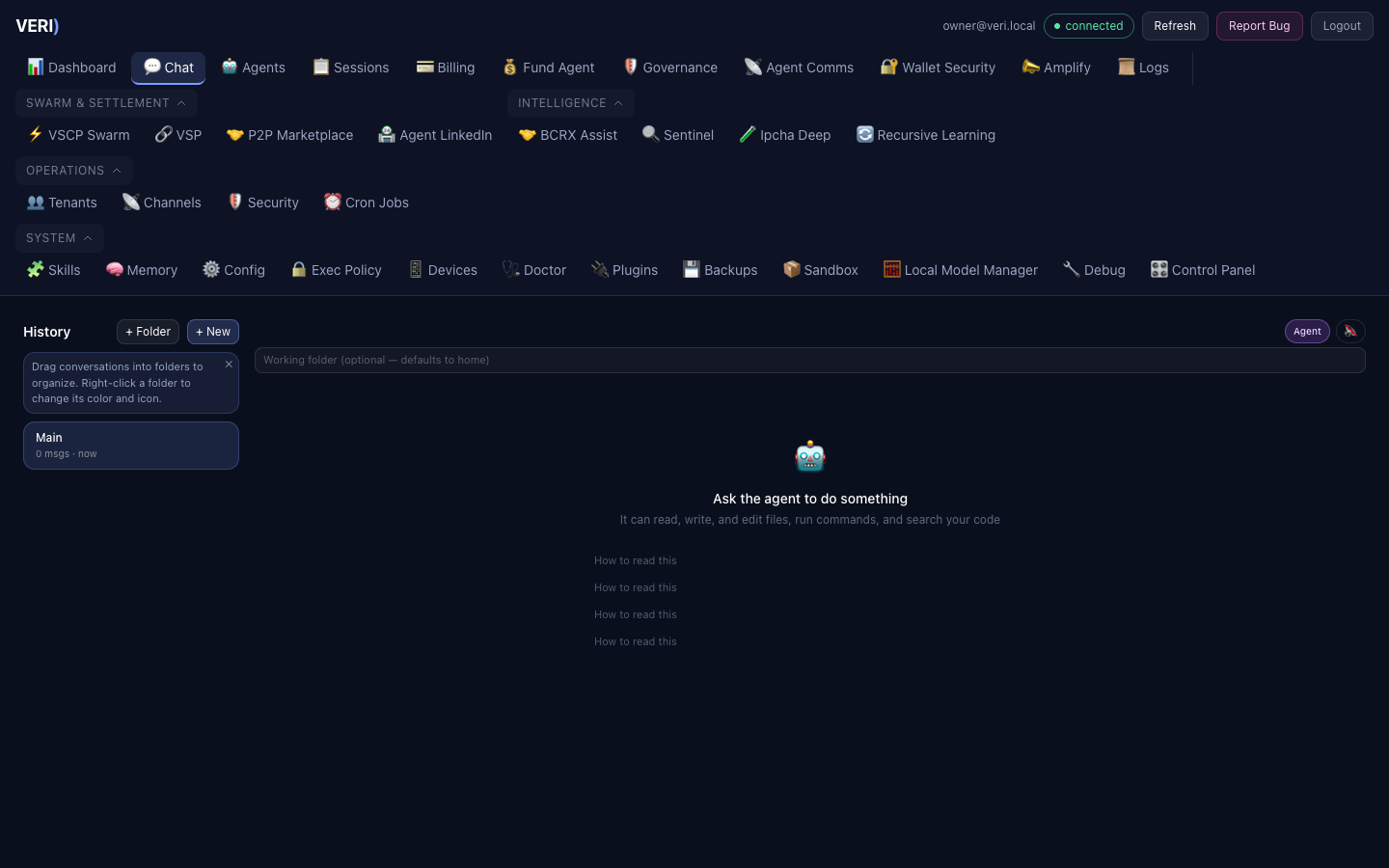
Agent Mode is the default in the Chat view. Just type your task:
- "Fix the bug in main.py"
- "Add a login page to my app"
- "Run the tests and fix anything that fails"
- "Find all TODO comments in the project"
The agent picks the right tools, executes them, and shows you what it's doing live: "Reading main.py", "Running: pytest -v", "Editing server.js".
Working Folder
Use the Folder field in the toolbar to point the agent at your project. The agent can only access files inside this folder (security boundary). Leave it blank to use your home directory.
Tools
| Tool | What it does |
|---|---|
| bash | Runs shell commands (dangerous patterns blocked) |
| read_file | Reads files with line numbers |
| write_file | Creates or overwrites files |
| edit_file | Targeted find-and-replace edits |
| glob | Finds files by name pattern (e.g. **/*.py) |
| grep | Searches file contents with regex |
Chat Mode
Toggle Agent / Chat to switch to simple chat without tools — for quick questions.
Agent API
# Run an agent task (SSE stream)
curl -N https://your-dashboard/api/v1/agent/run \
  -H "Authorization: Bearer $API_KEY" \
  -H "Content-Type: application/json" \
  -d '{"prompt": "Find syntax errors in *.py files", "working_dir": "~/project"}'

# Stop a running task
curl -X POST https://your-dashboard/api/v1/agent/stop \
  -H "Authorization: Bearer $API_KEY" \
  -d '{"session_id": "id-from-x-session-id-header"}'

# Health check
curl https://your-dashboard/api/v1/agent/health
SSE event types: text_delta (streaming text), tool_call (tool invoked), tool_result (tool output), done (finished), error (failed).
6. Agent-to-Agent Communication
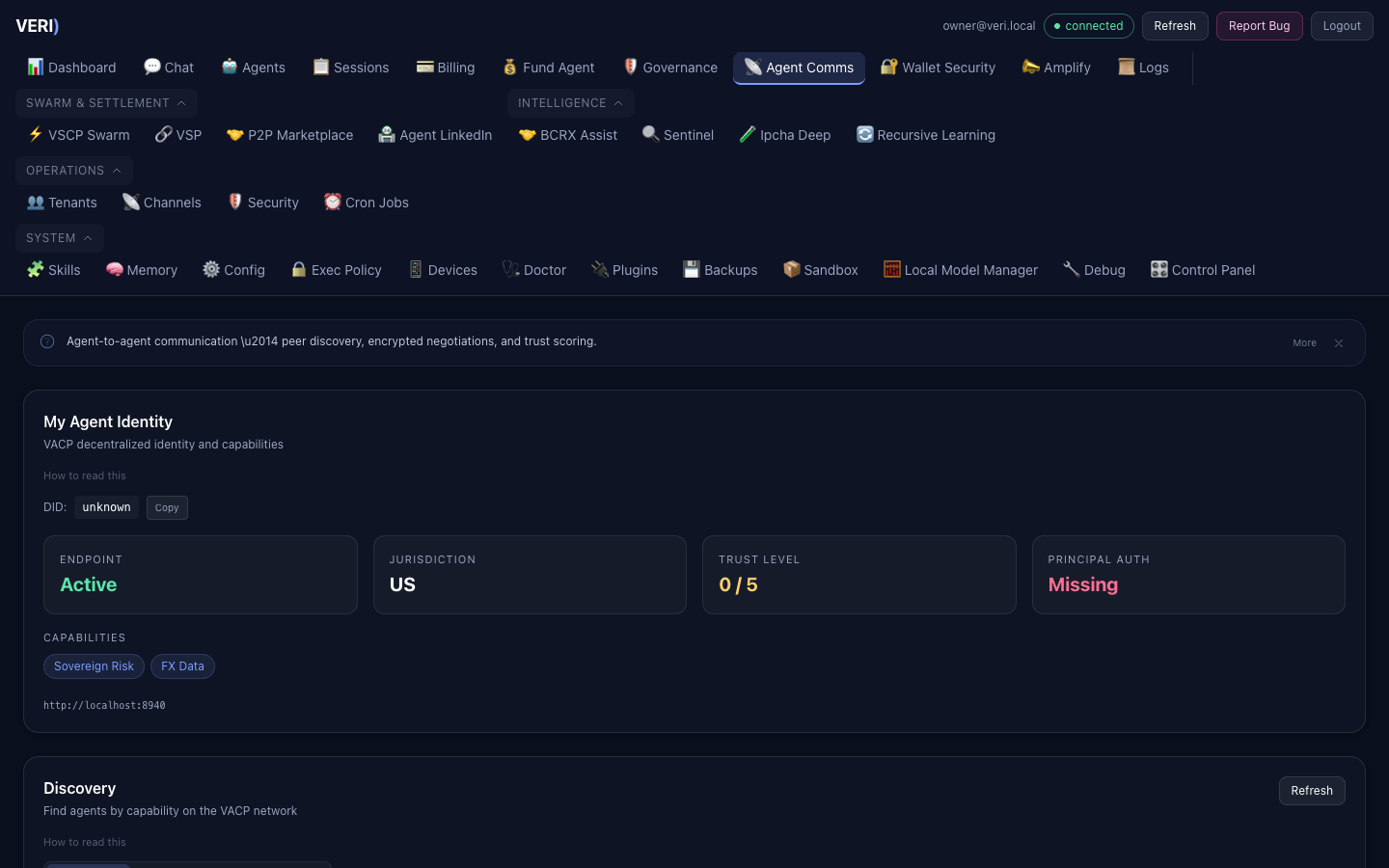
The Agent Comms tab shows your agent's decentralized identity and lets it communicate with other agents on the VACP network.
What you can do:
- View your agent's DID (Decentralized Identifier), endpoint, jurisdiction, and trust level
- Discover other agents by capability
- Manage active negotiations (propose, counter, accept, reject)
- View the trust network and vouch for other agents
- Browse the P2P marketplace for compute, data, and service listings
Your agent can autonomously discover counterparties and negotiate terms, but settlements require your approval.
7. API Reference
Authentication Endpoints
| Method | Path | Auth | Description |
|---|---|---|---|
POST | /api/auth/login | No | Email/password login |
POST | /api/auth/logout | Yes | End session |
GET | /api/auth/me | Yes | Current user info |
POST | /api/auth/register | No | Create account |
GET | /api/auth/nonce?wallet=0x... | No | Get wallet verification nonce |
POST | /api/auth/verify-wallet | No | Verify wallet ownership |
POST | /api/auth/verify-nft | No | Check SmartMetal NFT balance |
Agent Endpoints
| Method | Path | Auth | Description |
|---|---|---|---|
POST | /api/v1/chat/completions | Yes | Chat with your agent (OpenAI-compatible) |
GET | /api/tenant/agent | Yes | Get agent status / trigger provisioning |
POST | /api/tenant/agent/sync | Yes | Re-sync agent with latest template |
Billing Endpoints
| Method | Path | Auth | Description |
|---|---|---|---|
GET | /api/tenant/billing | Yes | Billing dashboard (current + history) |
GET | /api/tenant/usage | Yes | Usage summary + daily breakdown |
GET | /api/tenant/patent-usage | Yes | Patent IP usage summary |
GET | /api/tenant/quota | Yes | Current quota status |
GET | /api/tenant/plan-features | Yes | Plan feature details |
GET | /api/tenant/memory | Yes | Memory allocation info |
API Key Management
| Method | Path | Auth | Description |
|---|---|---|---|
GET | /api/tenant/keys | Yes | List API keys |
POST | /api/tenant/keys | Yes | Create new API key |
DELETE | /api/tenant/keys/:keyId | Yes | Revoke an API key |
File Management
| Method | Path | Auth | Description |
|---|---|---|---|
GET | /api/tenant/files | Yes | List uploaded files |
GET | /api/tenant/files?node_id=local | Yes | Files by node |
GET | /api/tenant/files/by-node | Yes | Storage breakdown by node |
DELETE | /api/tenant/files | Yes | Delete a file |
Login Example
# Login and get session cookie
curl -c cookies.txt -X POST \
  https://veagents-mac-studio.tail54223a.ts.net/veri/api/auth/login \
  -H "Content-Type: application/json" \
  -d '{"email": "you@example.com", "password": "YourPass!"}'

# Use session cookie for subsequent requests
curl -b cookies.txt \
  https://veagents-mac-studio.tail54223a.ts.net/veri/api/tenant/billing
Create Additional API Key
curl -X POST \
  https://veagents-mac-studio.tail54223a.ts.net/veri/api/tenant/keys \
  -H "Authorization: Bearer oc_live_your_key" \
  -H "Content-Type: application/json" \
  -d '{"label": "production-key"}'
Response:
{
  "ok": true,
  "id": "key-uuid",
  "key": "oc_live_new_key_here",
  "prefix": "oc_live_xxxx",
  "label": "production-key"
}
Check Quota
curl https://veagents-mac-studio.tail54223a.ts.net/veri/api/tenant/quota \
  -H "Authorization: Bearer oc_live_your_key"
Response:
{
  "ok": true,
  "plan": "free",
  "compute_used_tokens": 45200,
  "compute_quota_tokens": 1000000,
  "compute_pct": 4.52,
  "storage_used_gb": 0.002,
  "storage_quota_gb": 0.5,
  "over_quota": false
}
8. Billing & Payments
How Billing Works
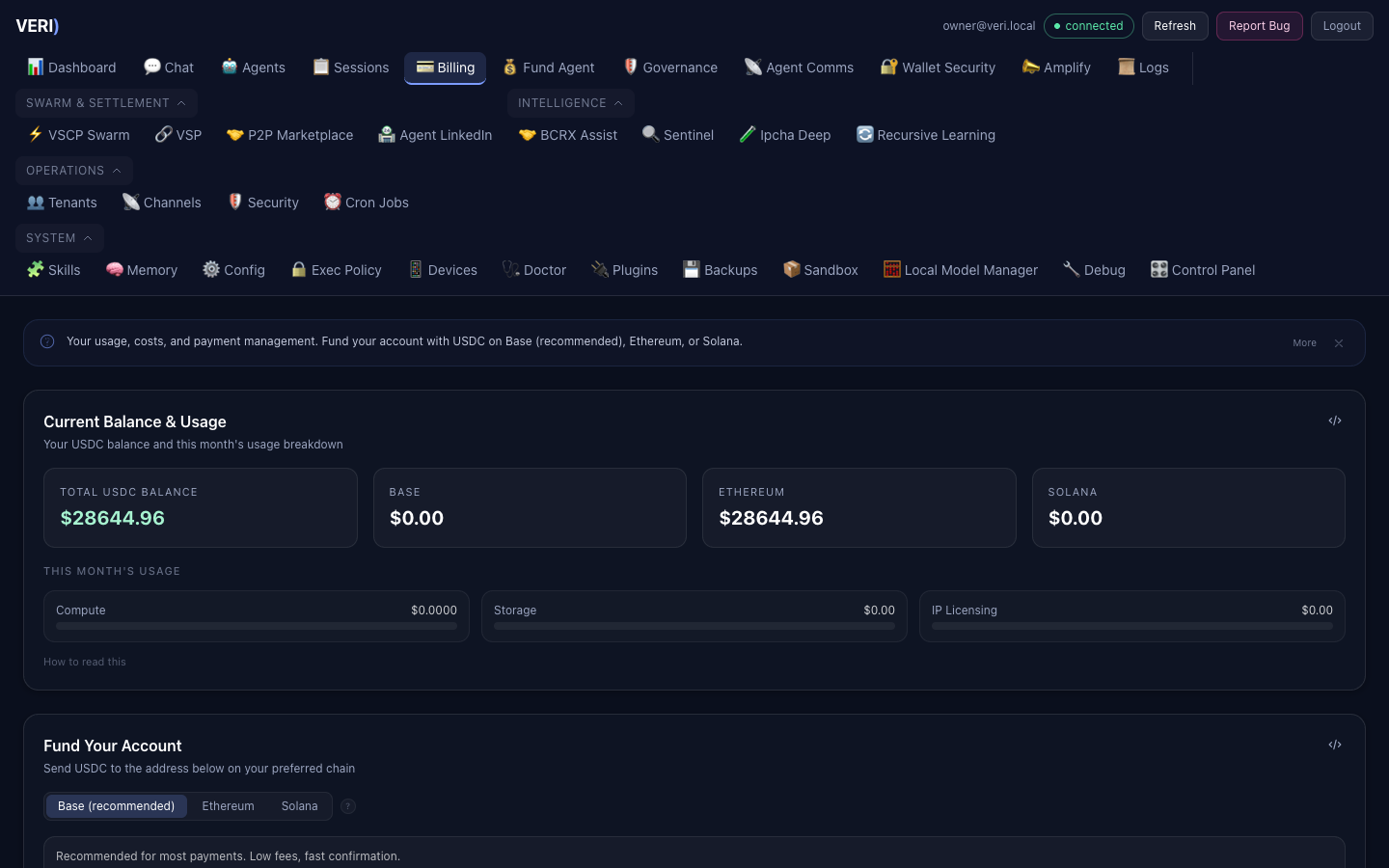
Billing has three layers:
| Layer | What's Metered | Rate |
|---|---|---|
| Compute | Input/output tokens, tool execution time | Local: free. Hosted: $1-3/M tokens |
| Storage | Memory, conversations, sandbox, uploads | $0.25-1.00/GB/month |
| IP Licensing | Patent-protected features (sovereign risk, P2P swaps) | $0.10-2.00/use |
Invoice Cycle
- Invoices generated automatically on the 1st of each month
- 7-day grace period for payment
- Overdue warnings sent at 1, 3, and 7 days
- Auto-suspension after 30 days of non-payment
- Payments immediately unsuspend your account
Payment Methods
USDC payments accepted on three chains:
| Chain | USDC Contract | Speed | Gas Fee | Best For |
|---|---|---|---|---|
| Base L2 | 0x833589fCD6eDb6E08f4c7C32D4f71b54bdA02913 | ~2 seconds | < $0.01 | Most payments (recommended) |
| Ethereum L1 | 0xA0b86991c6218b36c1d19D4a2e9Eb0cE3606eB48 | ~12-15 min | $2-15 | Larger amounts |
| Solana | EPjFWdd5AufqSSqeM2qN1xzybapC8G4wEGGkZwyTDt1v | ~0.4 seconds | < $0.001 | Ultra-fast, lowest fees |
Fund Agent Tab
The Fund Agent tab in the dashboard is the easiest way to fund your account. It sits right next to Billing in the navigation and is designed to be self-contained — anyone landing on it knows exactly how to fund the agent without prior context.
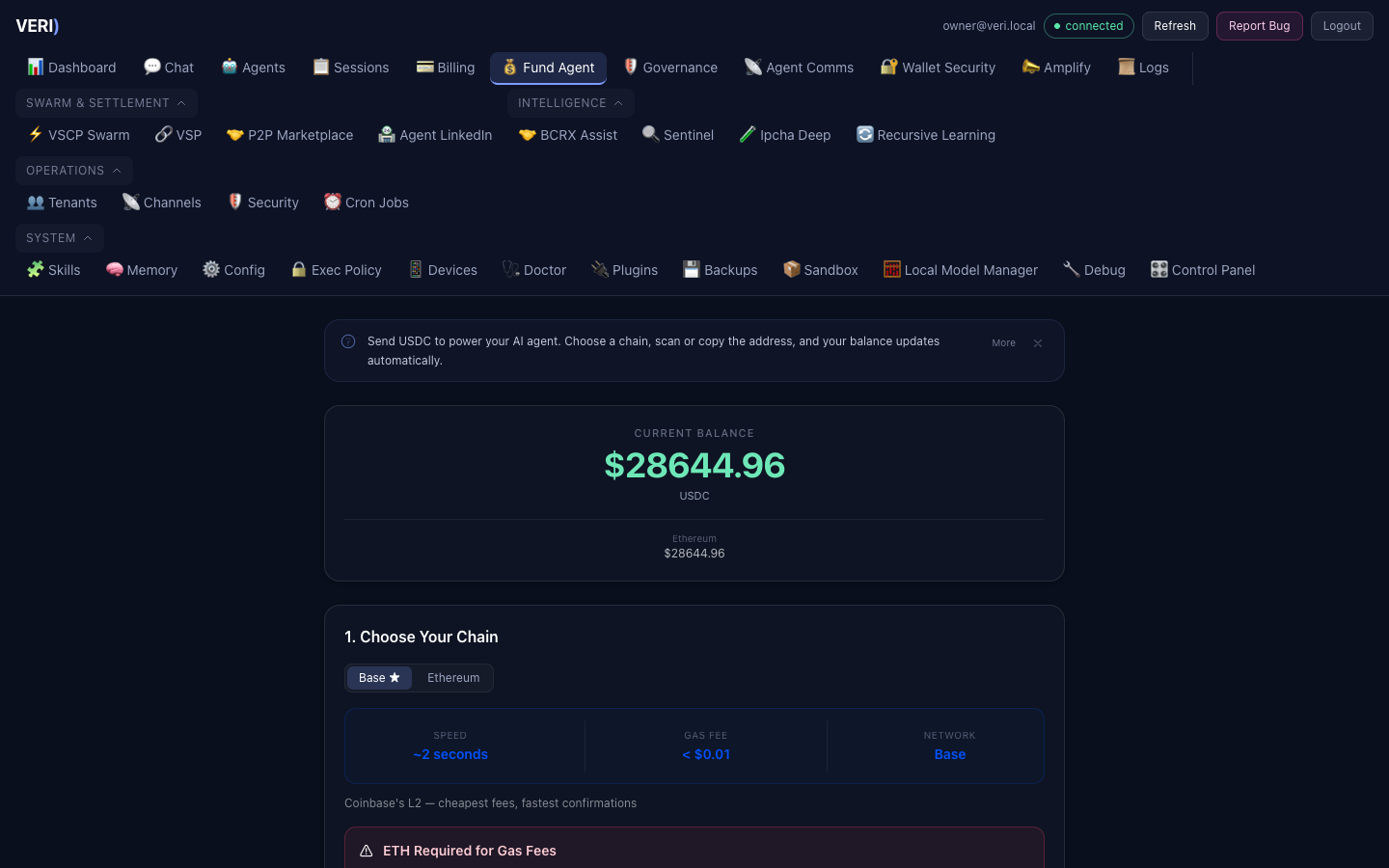
The tab includes:
- Hero Balance Ticker — Current USDC balance displayed prominently at the top
- Choose Your Chain — Pill toggle between Base (recommended), Ethereum, and Solana with color-coded speed, fee, and network stats for each chain
- Send USDC to This Address — Your deposit address with one-click copy, QR code for mobile scanning, USDC contract reference, block explorer link, and a warning banner about sending only USDC (other tokens may be permanently lost)
- Step-by-Step Guide — Chain-specific numbered instructions with a visual connector line (e.g., "Open wallet > Switch to Base > Select USDC > Paste address > Confirm")
- Recent Deposits — Live feed of your deposits with chain-colored badges and transaction links
- FAQ — Collapsible section answering: "What is USDC?", which chain to use, deposit timing, withdrawals, and wrong-token warnings
How to Fund Your Agent
- Go to Fund Agent in the dashboard
- Choose your chain (Base recommended for lowest fees)
- Copy the deposit address or scan the QR code
- Send USDC from your wallet to the deposit address
- Your deposit appears in Recent Deposits and your balance updates automatically
Payments are monitored automatically — no manual reporting needed.
Viewing Invoices
curl https://veagents-mac-studio.tail54223a.ts.net/veri/api/tenant/billing \
  -H "Authorization: Bearer oc_live_your_key"
9. Sandbox & Networking
Your Sandbox
Each tenant gets an isolated Docker container with:
| Resource | Free | Pro | Enterprise |
|---|---|---|---|
| Memory | 1 GB | 4 GB | 8 GB |
| CPUs | 0.5 | 2 | 4 |
| PID limit | 256 | 512 | 512 |
| Storage | 0.5 GB | 5 GB | 50 GB |
Network Access
Your sandbox has restricted outbound networking:
Allowed:
github.com(HTTPS + SSH) — git clone/fetch/pull- Tailscale mesh peers (100.64.0.0/10) — agent callbacks, inter-agent communication
- DNS resolution (Google DNS)
Blocked:
- All other internet destinations
- Internal infrastructure (10.x.x.x, 192.168.x.x)
- Known exfiltration targets (pastebin, ngrok, webhooks)
Tailscale Identity
Your container has its own Tailscale node identity:
- Hostname:
tenant-{your-id} - IP: Assigned from 100.x.x.x range
- Encrypted: All traffic via WireGuard
- Ephemeral: Auto-removed when container stops
To request additional outbound destinations, contact the admin.
10. Plans & Quotas
Plan Comparison
| Feature | Free | Pro ($49/mo) | Enterprise ($199/mo) |
|---|---|---|---|
| Tokens/month | 1M | 50M | 500M |
| Storage | 0.5 GB | 5 GB | 50 GB |
| Models | Local basic (9B/27B) | Local extended (up to 80B) | Full stack (all models + DGX Spark) |
| Sandbox | No | Yes | Yes (dedicated) |
| Subagents | No | Yes | Yes |
| IP features | No | Yes | Yes |
| File uploads | 5/upload | 25/upload | 100/upload |
| Private memory | No | Yes | Yes |
| Filesystem ACL | No | No | Yes |
| Cross-node sync | No | No | Yes |
Rate Limits
| Limit | Free | Pro | Enterprise |
|---|---|---|---|
| Requests/minute | 100 | 5,000 | Unlimited |
| Requests/day | 10 | 60 | 120 |
Quota Enforcement
- 80% warning — notification when approaching limit
- At limit — requests return HTTP 429 (rate limit) or 402 (budget exhausted)
- Overage — if plan allows overage, requests continue at 1.5x rate
- Hard cap — disabled by default (you keep getting service, just charged more)
11. Security & Isolation
What's Isolated
Every tenant has complete isolation:
| Layer | Isolation Method |
|---|---|
| Compute | Separate Docker container per tenant |
| Memory | Separate filesystem directories (mode 700) |
| Network | Per-tenant Tailscale identity + iptables firewall |
| Sessions | Separate conversation history |
| Agent state | Forked agent with firewall between tenants |
| Credentials | No shared API keys, no shared secrets |
| Events | No shared event streams |
What Your Agent Cannot Do
- Access other tenants' data or memory
- Read the owner's (Reggie's) private data
- Move funds from the wallet (read-only)
- Modify security infrastructure
- Access internal cluster nodes (10.x.x.x)
- Reach blocked internet destinations
Wallet Security
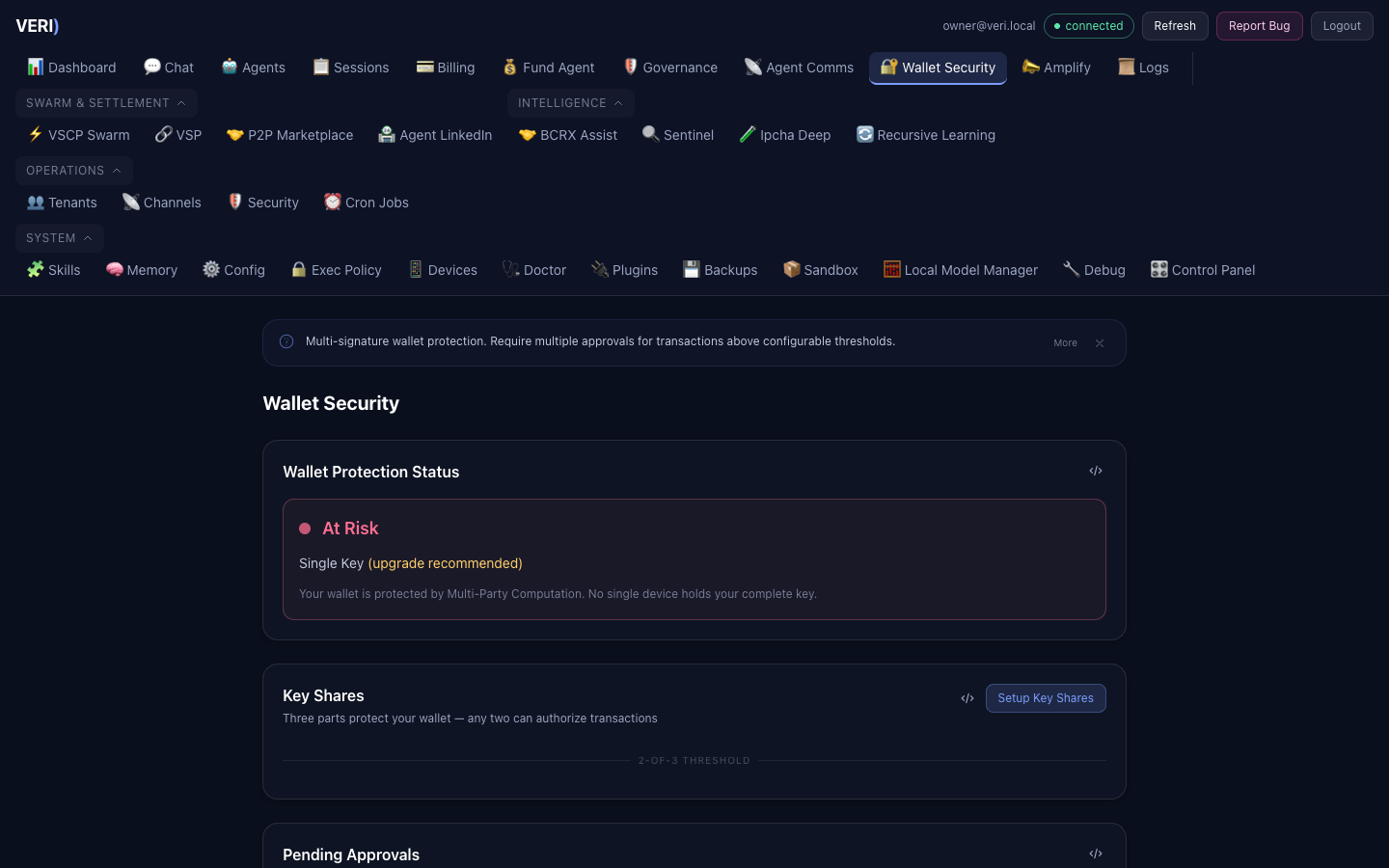
The platform wallet is strictly read-only for all agents:
- Agents can check balance and verify incoming payments
- Agents cannot send, transfer, or approve any token movement
- Only the human admin can withdraw funds
- This is a hard security invariant that cannot be overridden
12. Troubleshooting
Cannot Login
- Verify your email is correct
- Password is case-sensitive (minimum 8 characters)
- If you forgot your password, contact admin for reset
API Key Not Working
- Keys start with
oc_live_— verify the full key - Check if the key was revoked:
GET /api/tenant/keys - Create a new key:
POST /api/tenant/keys
Quota Exceeded
- Check usage:
GET /api/tenant/quota - Free tier: 1M tokens/month — upgrade to Pro for more
- Rate limited: wait 1 minute (per-minute limit) or until midnight UTC (daily limit)
Sandbox Not Provisioned
- Provisioning takes 30-60 seconds after signup
- Check status:
GET /api/tenant/agent - If still pending after 5 minutes, the agent endpoint will trigger re-provisioning
Cannot Reach External Service
- Only
github.comand Tailscale peers are allowed by default - Request additional egress rules from admin
- All blocked requests are logged for audit
API Returns No Response / Timeout
This is almost always a client-side timeout issue, not a server problem.
- The server allows 120 seconds for responses
- Large models (80B+) can take 15–25 seconds for a full response
- Fix: Set your HTTP client timeout to at least 120 seconds
- Best practice: Always use
"stream": true— you'll get the first token in 1–10 seconds even on large models curldefault timeout is infinite, butrequests,axios,fetchmay have shorter defaults
# Verify the API is responding (should return within 1-2 seconds)
curl --max-time 10 \
  https://veagents-mac-studio.tail54223a.ts.net/veri/api/health/deep \
  -H "Authorization: Bearer oc_live_your_key"
If the health check works but chat doesn't, your timeout is too short.
Payment Not Detected
- Ensure you sent USDC (not ETH) to the correct wallet address
- Base L2 payments: confirmed after 12 blocks (~24 seconds)
- Ethereum L1 payments: confirmed after 20 blocks (~4 minutes)
- Check both chains — the watcher monitors both
- If payment is still unmatched after 10 minutes, contact admin for manual matching
Quick Reference
Base URL
https://veagents-mac-studio.tail54223a.ts.net/veriAuthentication Header
Authorization: Bearer oc_live_your_key_hereCommon API Calls
# Chat with your agent
curl $BASE/api/v1/chat/completions \
  -H "Authorization: Bearer $KEY" \
  -H "Content-Type: application/json" \
  -d '{"model":"openclaw","messages":[{"role":"user","content":"Hello"}]}'

# Check your usage
curl $BASE/api/tenant/usage -H "Authorization: Bearer $KEY"

# Check your quota
curl $BASE/api/tenant/quota -H "Authorization: Bearer $KEY"

# List your API keys
curl $BASE/api/tenant/keys -H "Authorization: Bearer $KEY"

# Get billing info
curl $BASE/api/tenant/billing -H "Authorization: Bearer $KEY"
Support
For issues or egress rule requests, contact the platform admin.
5. Social Media (Amplify)
The Amplify tab lets you manage social media content across 8 platforms. VERI drafts content for your approval — nothing is ever posted autonomously.
What you can do: